Since version 1.1.0, the plugin provides Gutenberg blocks as an alternative to shortcodes, allowing you to visually build your booking pages using the WordPress block editor.
1. Room/Accommodation Search Form.
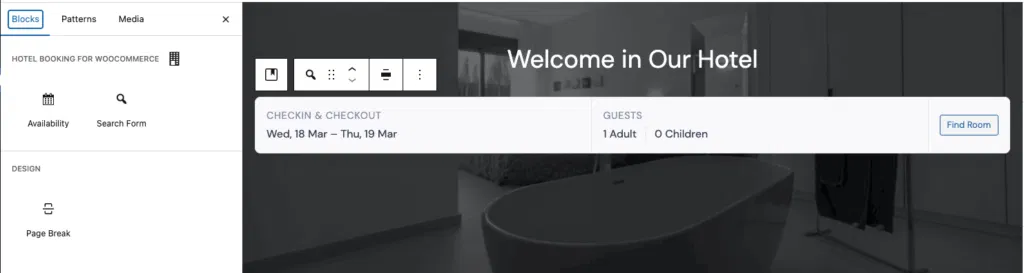
This block allows you to display room/accommodation search form.
It is equivalent to the shortcode: [hbfwc_search_form page="8"]
2. Availability / Search Results.
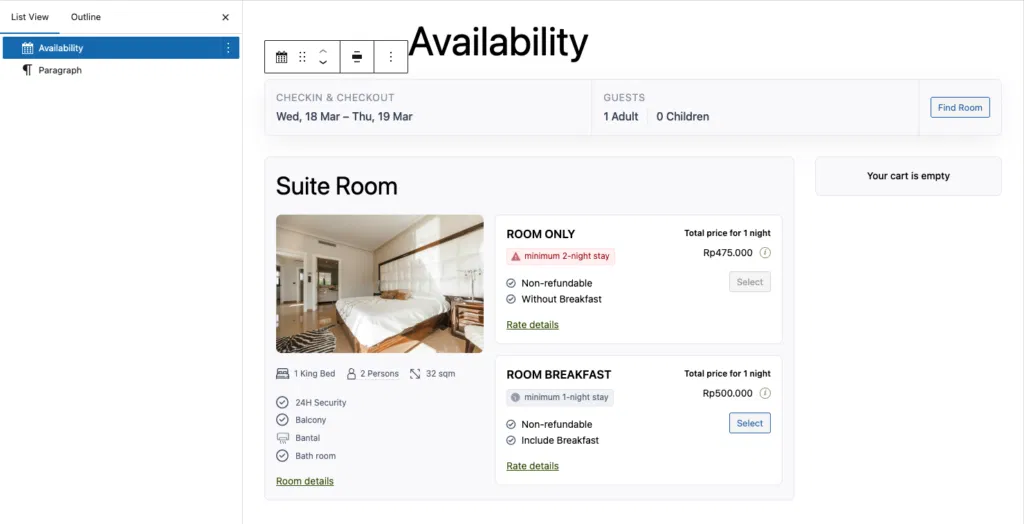
This block displays the availability and search results based on the user’s input.
It is equivalent to the shortcode: [hbfwc_availability]
It works in conjunction with the Search Form block. You need to assign the page containing this block (using its ID or slug) in the Search Form settings, so users can be redirected here to view the results.
How to Use
- Open any page or post in the WordPress editor
- Click the “+” (Add Block) button
- Search for “Hotel Booking”
- Select the desired block (e.g., Search Form)
- The block will be inserted into your page
Why Use Blocks Instead of Shortcodes?
Blocks provide a more user-friendly and visual experience:
- No need to remember shortcode syntax
- Live preview inside the editor
- Easier customization
- Better compatibility with modern WordPress themes
Notes
- Blocks require the WordPress block editor (Gutenberg)
- If you are using the Classic Editor, you can still use shortcodes
- Both blocks and shortcodes provide the same functionality
Blocks internally render the same output as their shortcode equivalents, ensuring backward compatibility.